Nothing kills hype like an install that will not finish. Work through these Drag Bike 201m Sunmori APK install fixes fixes in order; each step eliminates one cause, and one of them is always the culprit.
Fix 1: Verify the file
Check the downloaded file is the full 136 MB. Anything smaller is an interrupted download: delete it and grab a fresh copy from the Drag Bike 201m Sunmori APK download page. Never try to install a partial file.
Fix 2: Use a real XAPK installer
Tapping an XAPK directly does nothing on stock Android. You need a dedicated XAPK installer app from the Play Store. Open the file through the installer, not through your file manager. The install guide walks through this step by step.
Fix 3: Permissions and blockers
When Android asks to allow unknown apps, enable it for the installer app specifically. If the install button is grayed out, a screen overlay app (blue light filters are the classic) is blocking it: disable overlays and retry.
Fix 4: Storage and device issues
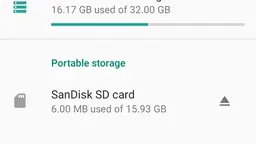
You need around 400 MB free for the installer to unpack the bundle. Clear space if you are close to full. Very old devices on Android below 5.0 cannot run the game at all.
Fix 5: Clean reinstall
If it installed but misbehaves, uninstall completely, restart the phone, and install fresh from a newly downloaded file. This resolves the vast majority of leftover weirdness.